- Home Page /
- Electronics /
- Computer Accessories /
- Computer Components /
- Computer External Components /
- KVM Switches /
- USB 2.0 Wormhole KM Switch JUC100
0 ratings






Item #:
46528518
USB 2.0 Wormhole KM Switch JUC100
Item #:
46528518
KZT 12622
Price Details
Excluding Shipping & Custom charges ( Shipping and custom charges will be calculated on checkout )
*All items will import from US
0 ratings
Write a review
In stock
 Imported from USA store
QTY:
Order now and get it around Monday, August 17
Secured transaction
Ubuy works hard to protect your security and privacy. Our advanced payment security system ensures confidentiality by encrypting your information during transmission using AES (Advanced Encryption Standards) and SSL (Secure Socket Layer) protocols. Your payment details are 100% secure as we do not share your payment details with third party sellers.
Our Top Logistics Partners


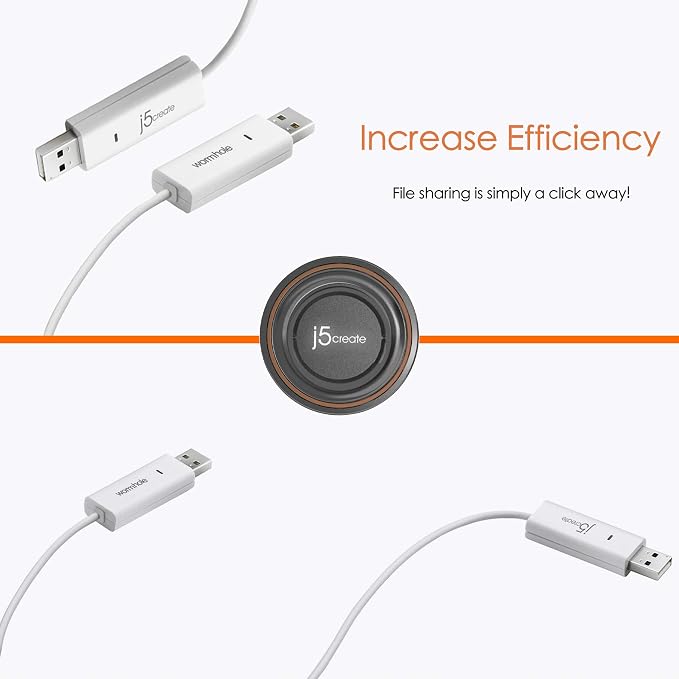
j5create JUC100 USB cable allows data transfer and keyboard/mouse sharing through a simple Plug and Play, without needing an installation CD.

Fast
Shipping

Free
Return*

Secure Packaging

100% Original Products

PCI DSS Compliance

ISO 27001 Certified


Note: Step Down Voltage Transformer required for using electronics products of US store (110-120). Recommended power converters Buy Now.


What Stands Out
Seamless Data Transfer
Easily transfer files between two Windows PCs with a simple USB connection, eliminating the need for cloud services or external storage devices.
Keyboard and Mouse Sharing
Control two PCs using a single keyboard and mouse setup, enhancing productivity and reducing clutter in your workspace.
User-Friendly Setup
Plug-and-play functionality ensures effortless installation with no complex software needed, making it ideal for users of all technical levels.
Product Details
- Data, keyboard, and mouse sharing transfer USB cable
- Transfer data between 2 Windows PC
- File drag and drop, content copy and paste
- Keyboard and mouse sharing without installation CD
- Simply plug-and-play, no CD required
- Manufactured in Taiwan, known for global force in electronics industry
| Connector Type | Usb Type a |
| Switch Type | Km Switch |
| Connectivity Protocol | USB |
| Control Type | full |
| Compatible Devices | PC |
| Smart Home Compatibility | Not Smart Home Compatible |
| Brand Name | j5create |
| Model | FBA_JUC100 |
| Global Trade Identification Number | 04712795080087 |
| Manufacturer | j5create |
| UPC | 163120606757 132017607887 611101504757 088020616142 915774606672 001910292806 071040170749 887517078643 872182800460 956262560755 745449836475 847626000027 |
| Part Number | FBA_JUC100 |
| Item Weight | 35 Grams |
| Item Dimensions | 2.28 x 0.71 x 0.39 inches (5.8 x 1.8 x 1 cm) |
| Unit Count | 1 Count |
| Number of Items | 1 |
| Material Type | Copper |
| Specification Met | Usb-if |
| Color | White |
| Brand | j5create |
| Material | Copper |
| Item dimensions L x W x H | 2.28 x 0.71 x 0.39 inches (5.8 x 1.8 x 1 cm) |
Who Should Buy?

-
Frequent Upgraders
Users who regularly upgrade their PCs will benefit from seamless data migration between devices using this USB cable.
-
Office Environments
Suitable for workplaces that need to share files and control multiple computers efficiently with one set of peripherals.
-
Tech Enthusiasts
Ideal for tech users who require quick file transfers and versatile control across multiple Windows PCs.

-
Mac Users
This product is specifically designed for Windows PCs, making it unsuitable for users with Mac devices.
Product Description
Have any Query? Chat with us
Customer Questions & Answers
-
Question:
What is the j5create JUC100 and how does it work?
Answer: The j5create JUC100 is a USB cable designed to facilitate seamless data transfer between two Windows PCs. It works through the wormhole switch technology, allowing users to effortlessly transfer files, share a keyboard, and control two computers using one set of peripherals. This functionality is particularly beneficial for users who frequently migrate data or multitask across devices. -
Question:
Can I use the j5create JUC100 with other operating systems?
Answer: The j5create JUC100 is specifically optimized for Windows to Windows file transfers, meaning it may not be compatible with other operating systems like macOS or Linux. This targeted compatibility ensures that the cable delivers optimal performance for Windows environments, enabling users to leverage Windows features and functions effectively while transferring data. -
Question:
What types of files can I transfer using the j5create JUC100?
Answer: You can transfer a variety of file types using the j5create JUC100, including documents, images, videos, and software applications. This versatility allows users to quickly move important files between machines, making it ideal for scenarios like data migration, consolidating documents before a switch, or sharing large multimedia files for editing. -
Question:
How do I set up the j5create JUC100 for data transfer?
Answer: Setting up the j5create JUC100 involves connecting the USB cable to both Windows PCs, installing the accompanying software if prompted, and following the on-screen instructions to initiate data transfer. This user-friendly setup process minimizes technical barriers, allowing users to start transferring data in just moments, making it convenient for both casual users and professionals. -
Question:
What cable lengths are available for the j5create JUC100?
Answer: The j5create JUC100 typically comes in different lengths to accommodate various workspace setups. By selecting the appropriate length, you can ensure adequate room to connect both PCs without clutter, allowing for a more organized and efficient workspace. This consideration is particularly important in environments where desk space is limited. -
Question:
Is data transfer between the two PCs secure with the j5create JUC100?
Answer: Data transfer using the j5create JUC100 is typically secure as it utilizes direct cable connection, minimizing risks associated with wireless transfers. However, it's recommended to ensure that both PCs have updated antivirus protection and to exercise caution when transferring sensitive information. This focus on security helps users feel more confident in transferring confidential data. -
Question:
Can multiple users share the same j5create JUC100 cable?
Answer: The j5create JUC100 is designed for direct connection between two Windows PCs, and it's not intended for multiple users simultaneously. To facilitate sharing among more than two users, each would need their separate cable connection, or you may consider using network sharing options if multiple devices need to access shared files. -
Question:
How does the keyboard and mouse sharing feature work?
Answer: The keyboard and mouse sharing feature of the j5create JUC100 allows you to use one mouse and keyboard to control both connected Windows PCs. By switching between computers through a simple keyboard shortcut, you can streamline your workflow, which is particularly helpful in dual-PC setups for video editing, development, or IT management tasks. -
Question:
Is there customer support available for the j5create JUC100?
Answer: Yes, j5create offers customer support for their products, including the JUC100. Users can typically find troubleshooting tips, FAQs, and direct support contacts on the manufacturer’s website. This resource ensures that users have access to assistance for any setup or operational issues they may encounter, enhancing the overall user experience. -
Question:
Where can I buy the j5create JUC100 in Kazakhstan?
Answer: You can purchase the j5create JUC100 from Ubuy in Kazakhstan. Ubuy provides a reliable platform for accessing a wide range of products, including tech accessories like the j5create JUC100, ensuring you have access to quality goods along with additional features that may enhance your shopping experience.
j5create KVM Switches Editorial Review

No editorial reviews found
Customer Reviews & Ratings
221 customers ratings
-
5 Star
67%
-
4 Star
12%
-
3 Star
8%
-
2 Star
5%
-
1 Star
8%
Review this product
Share your thoughts with other customers
Platform Trust & Buyer Confidence

MA
Mohammad
Verified buyer
“Excellent quality and original too,when ubuy send original things I will appreciate that ,I very satisfied thank you”
23 July 2026 · via Trustpilot
CK
Chitra
Verified buyer
“The order and delivery progress was communicated very well. Package arrived within the estimated time. Products arrived as expected in good condition.”
22-Jul-26 · via Trustpilot
K
kund
Verified buyer
“Good supply of products. Safe payment methods, and shipment worldwide! Genuine products.”
23-Jul-26 · via Trustpilot
OO
Onesi
Verified buyer
“Was my first time buying a product from Ubuy, but I found it so helpful. This is reliable. Gonna place a new order!”
22 July 2026 · via Trustpilot
SJ
SAO JOHN
Verified buyer
“Ubuy is a great online platform to buy stuff. Reliable, fast delivery time and great value for money. I've been using Ubuy online shopping platform for three years now and will continue to do so.”
23 July 2026 · via Trustpilot
Secure Checkout
Global Delivery
Easy Returns
Genuine Products
Product Price History
Important information
- Limitations : For products shipped internationally, please note that any manufacturer warranty may not be valid; manufacturer service options may not be available; product manuals, instructions, and safety warnings may not be in destination country languages; the products (and accompanying materials) may not be designed in accordance with destination country standards, specifications, and labeling requirements; and the products may not conform to destination country voltage and other electrical standards (requiring use of an adapter or converter if appropriate). The recipient is responsible for assuring that the product can be lawfully imported to the destination country. When ordering from Ubuy or its affiliates, the recipient is the importer of record and must comply with all laws and regulations of the destination country.
- Not all the products listed on Ubuy are for sale, as Ubuy is a global search engine. Products are subject to export/trade regulations.
KZT 12622
Order now and get it around Monday, August 17
This item is not restrict in my country.(Please click on above link if this item is not restrict in your country, So our team will review and allow.)
QTY:
Secured transaction
PCI DSS compliant and ISO 27001:2022 certified, with encrypted payments and full buyer protection on every order.
Our Top Logistics Partners
Fastest cross-border delivery
Features & Benefits
- Data, keyboard and mouse sharing/transfer
- Windows to Windows transfer
- Content copy and paste and File drag and drop
- Plug and Play feature
- Data transfer between two computers
- No installation CD required
Ubuy Assurance
Experience worry-free shopping with 100% original products, PCI DSS-compliant payment security, ISO 27001-certified data protection, the fastest cross-border delivery, free returns *, and secure packaging on every order.